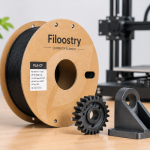
FDM 3D printing defects can affect dimensional accuracy, surface quality, and the mechanical strength of printed parts. 3D printing Warping, layer separation, inconsistent extrusion, and layer shifting are among the common issues that can occur during printing.
Although these problems may appear similar in their impact on print quality, they often have different causes. Some are related to temperature control and material behavior, while others result from extrusion settings or mechanical performance.
Understanding these differences helps users troubleshoot more efficiently and select materials that deliver consistent printing results.
3D Printing Warping: Why Do Printed Corners Lift?

3D Printing Warping occurs when different areas of a printed part cool and contract at different rates. As the material solidifies, internal stress can build up, causing the edges or corners of the model to lift from the build plate.
This is particularly noticeable in large, flat prints and parts with wide contact surfaces.
Several factors influence the likelihood of warping:
| Factor | Effect on Printing |
|---|---|
| Material shrinkage | Higher shrinkage can increase internal stress during cooling. |
| Bed temperature | Insufficient bed adhesion makes corner lifting more likely. |
| Cooling rate | Uneven or excessive cooling can cause dimensional stress. |
| Ambient temperature | Drafts and temperature fluctuations can lead to uneven solidification. |
Material selection also matters. Different polymers have different thermal expansion andshrinkage characteristics. Materials with higher shrinkage tendencies generally require more careful temperature management and build-plate preparation.
Layer Separation: When Printed Layers Fail to Bond
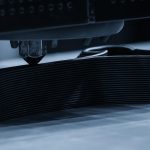
Layer separation, also known as delamination, occurs when adjacent printed layers do not bond strongly enough. Visible gaps or cracks may develop between layers, reducing the structural integrity of the part.
Unlike warping, which is mainly associated with cooling stress and bed adhesion, layer separation is closely related to interlayer bonding.
During FDM printing, each newly deposited layer must retain enough heat to bond with the previous one. If the material cools too quickly or the extrusion temperature is unsuitable, the bonding area may become weaker.
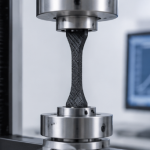
 The result is not just a surface defect. For functional components, poor interlayer adhesion can significantly reduce strength, especially when the part is subjected to loads across the layer interfaces.
To improve bonding consistency, users should consider:
- Maintaining a suitable nozzle temperature for the material.
- Avoiding excessive part cooling when strong layer adhesion is required.
- Adjusting printing speed to allow sufficient heat transfer between layers.
- Selecting filament with stable thermal and melt-flow characteristics.
Under-Extrusion vs. Over-Extrusion: How Material Flow Affects Print Quality
Extrusion consistency determines whether the printer deposits the correct amount of material throughout the printing process.
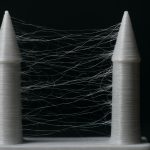
Under-extrusion and over-extrusion represent two opposite flow problems.
| Printing Issue | Under-Extrusion | Over-Extrusion |
|---|---|---|
| Material flow | Insufficient material is deposited. | Excess material is deposited. |
| Surface appearance | Gaps, weak lines, and incomplete infill. | Rough surfaces, blobs, and excess material. |
| Dimensional result | Parts may be undersized or structurally weak. | Parts may exceed intended dimensions. |
| Common factors | Partial nozzle blockage, incorrect flow settings, inconsistent feeding, or incorrect filament diameter settings. | Excessive flow rate, incorrect extrusion multiplier, or inaccurate filament diameter settings. |
Both problems can affect dimensional accuracy and mechanical performance.
Besides slicer settings, filament consistency is an important consideration. Variations in filament diameter can change the amount of material delivered to the hotend, while unstable melt-flow behavior may affect extrusion consistency.
Checking filament diameter, calibrating extrusion settings, and inspecting the feeding system can help identify the source of the problem.
Layer Shifting: A Problem Often Linked to Printer Mechanics
Layer shifting occurs when one or more printed layers move away from their intended positions. The result is usually a visible horizontal displacement, causing the model to appear misaligned or distorted.

Unlike many material-related defects, layer shifting is usually associated with the printer’s motion system.
Common areas to inspect include:
- Belt tension: Loose or improperly tensioned belts can reduce positioning accuracy.
- Pulleys and mechanical connections: Loose pulleys may cause inconsistent movement.
- Stepper motors: Motor skipping can occur when the motion system encounters excessive resistance or acceleration demands.
- Print collisions: The nozzle may strike raised sections of the model and cause a layer to shift.
- Printing speed and acceleration: Excessive motion settings may exceed the printer’s mechanical capabilities.
Regular mechanical inspection and appropriate motion settings are generally more effective than changing filament when troubleshooting this issue.
Conclusion
3D Printing Warping, layer separation, extrusion inconsistency, and layer shifting may all reduce 3D printing quality, but they do not share the same underlying causes.
Effective troubleshooting starts with identifying the type of defect. Temperature and material behavior are important when addressing warping and layer separation, while extrusion calibration and mechanical inspection are essential for other problems.
Consistent filament quality provides a more reliable starting point for printing. Combined with suitable equipment maintenance and optimized print settings, it helps users achieve better dimensional accuracy, surface quality, and part performance.